From idea to working system in an afternoon
A walkthrough of how a small ops team can replace SaaS tools with a single Turbofy workspace with data, apps and dynamic logic being in one place.
Jens Dressler
By Turbofy®
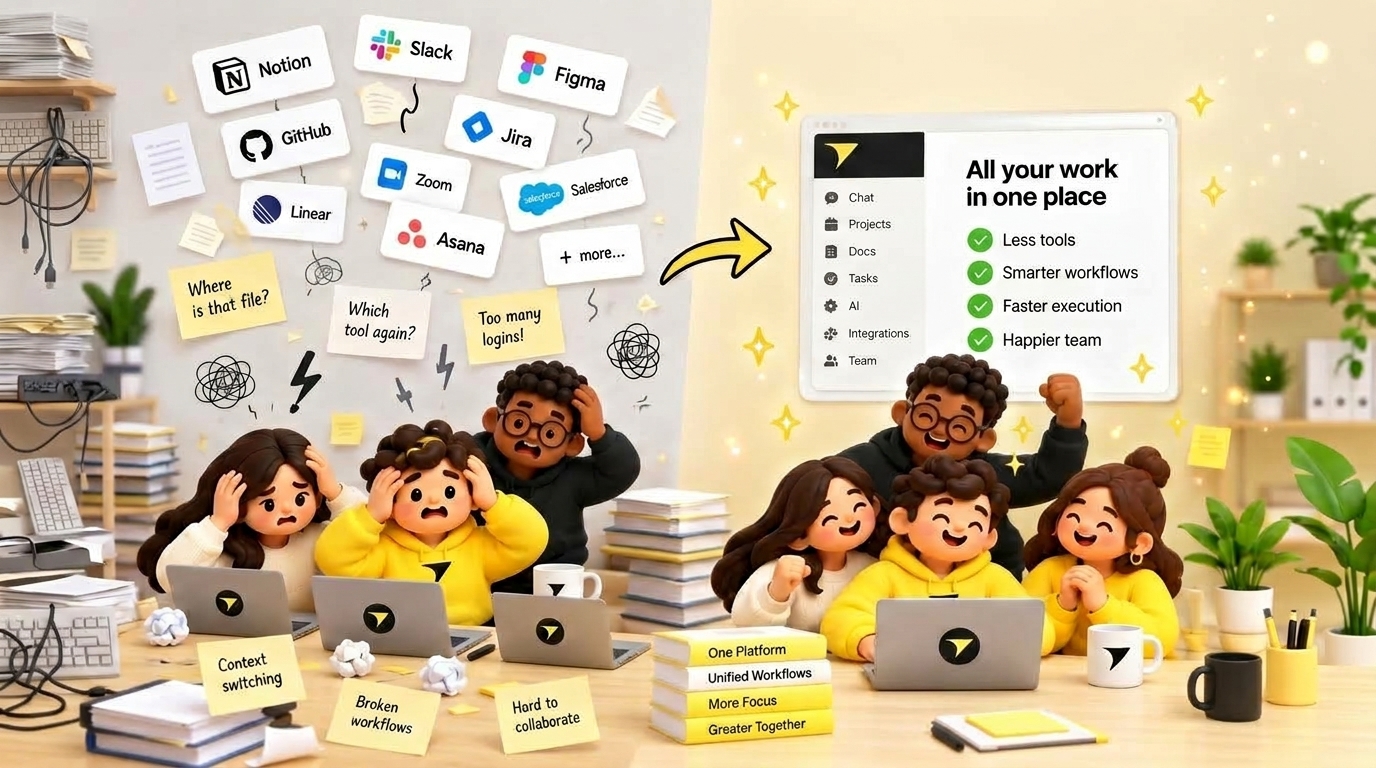
Most ops teams know the feeling: the work is moving, but keeping track of it has become a job of its own.
An idea lives on a whiteboard. The tasks sit on a project board. Customer context is in the CRM. The latest numbers are in a spreadsheet. Before anyone can take the next step, someone has to find the right link, copy the right information and check that it is still current.
We knew that feeling at Turbofy. So we used our own platform to bring that work together.
We replaced Trello, Miro, HubSpot, Google Sheets and PeecAI in our daily work with apps built in Turbofy. We also built our own Blog Studio, Image Studio, turbofy.com and docs.turbofy.com.
Together, they form a workspace shaped around how we run our business.
The work between the tools
Each tool in a typical SaaS stack solves a useful problem. The difficulty starts when a piece of work needs to move from one to the next.
Think about launching something new. You plan it, assign the work, prepare content, create images, update the website and follow up with interested customers. It is one connected process for your team, spread across several separate products.
That leaves someone responsible for the gaps. Moving information. Updating statuses. Checking whether the spreadsheet matches the CRM. Explaining where the final version ended up.
We think of this as the integration tax. You pay it through subscriptions and connectors, but also through interruptions, duplicate work and the attention needed to keep everything aligned.
For a small team, that attention is expensive. It is the same attention you need for customers, decisions and getting things done.
What we brought into Turbofy
We focused on the work we actually needed each tool to do.
Tasks and planning. We brought the work we managed in Trello and Miro into our own task and planning apps. That gives us room to shape the views and processes around our team.
Customer relationships. We replaced our HubSpot setup with a CRM built for the customer information and follow-up work that matter to us. We can adapt it as our sales process changes.
Everyday tracking. The workflows we kept in Google Sheets became part of the workspace, where the information can be used by the apps around it.
AI visibility. We built our own alternative to the work we used PeecAI for: tracking how Turbofy appears in AI answers. It sits alongside the tools we use to work on our content and online presence.
The scope was our own needs. We could build around the parts of each product we relied on, then develop them further as we learned what made our day easier.
Our content tools and websites belong together
We also wanted a better way to create and publish.
Our Blog Studio gives us a place to work on articles. Our Image Studio gives us a place to create the visuals that go with them. Our website, turbofy.com, and our documentation site, docs.turbofy.com, are built on Turbofy too.
That brings the tools behind our public presence into the same environment as the rest of our work.
Take an article like this one. The writing, its image and the website where it appears belong to the same content process. Keeping them together means we can shape that process as a whole, instead of treating every handoff as a separate integration project.
The same principle applies beyond publishing. When apps share a workspace, they can use the same information. You can build the next step around what is already there.
One workspace, less to keep in sync
This is where the value grows beyond replacing individual subscriptions.
The data, apps and rules for how work moves forward live in one place. A new view can use information you already have. A new workflow can build on an existing process. Adding an app does not have to mean creating another isolated copy of your business.
There is no integration tax between tools built on that shared foundation. You do not need a connector just to move information from one of your own apps to another.
For an ops team, the benefit is practical: fewer places to update, fewer handoffs to check and less time reconstructing the context before doing the work.
Missing a feature? Build it.
This has become our favourite part.
With a fixed SaaS tool, a missing feature often leads to a workaround. Another spreadsheet. Another subscription. A request on someone else's roadmap.
In Turbofy, we can extend the app ourselves.
Need a different view of the customer pipeline? An extra review step before publishing? A dashboard that brings several parts of the business together? You can describe what you need, build it and refine it with the people who will use it.
Your team still decides how the process should work. The difference is that you can make the software follow that decision.
And because the new feature belongs to the same workspace, it can build on the data and apps you already use.
Start with one afternoon and one useful change
You do not need to replace your entire tool stack at once.
Pick one recurring frustration: a spreadsheet everyone maintains, a handoff that keeps losing context or a simple process spread across three tools. Describe what comes in, who needs to act and what should happen next.
Use an afternoon to build a first version in Turbofy. Try it with real work. Refine it. Then connect the next part.
Our own workspace shows how far that approach can go: planning, tasks, customer relationships, visibility tracking, content studios, a website and documentation, all built around the way we work.
And when something is missing, we can just build it.
Start your own Turbofy workspace and bring one part of your daily work together.