10 Best Vibe Coding Tools in 2026
Editors, app builders, and the platform layer underneath. We compiled a list of the ten vibe coding tools that actually matter in 2026, what each is genuinely best at, and how to pair them so you ship a product instead of a prototype.
Turbofy Team
By Turbofy®

"Vibe coding" started as a joke about describing what you want and letting the model type it. In 2026 it is simply how a lot of software gets written — and the tools have split into clear camps.
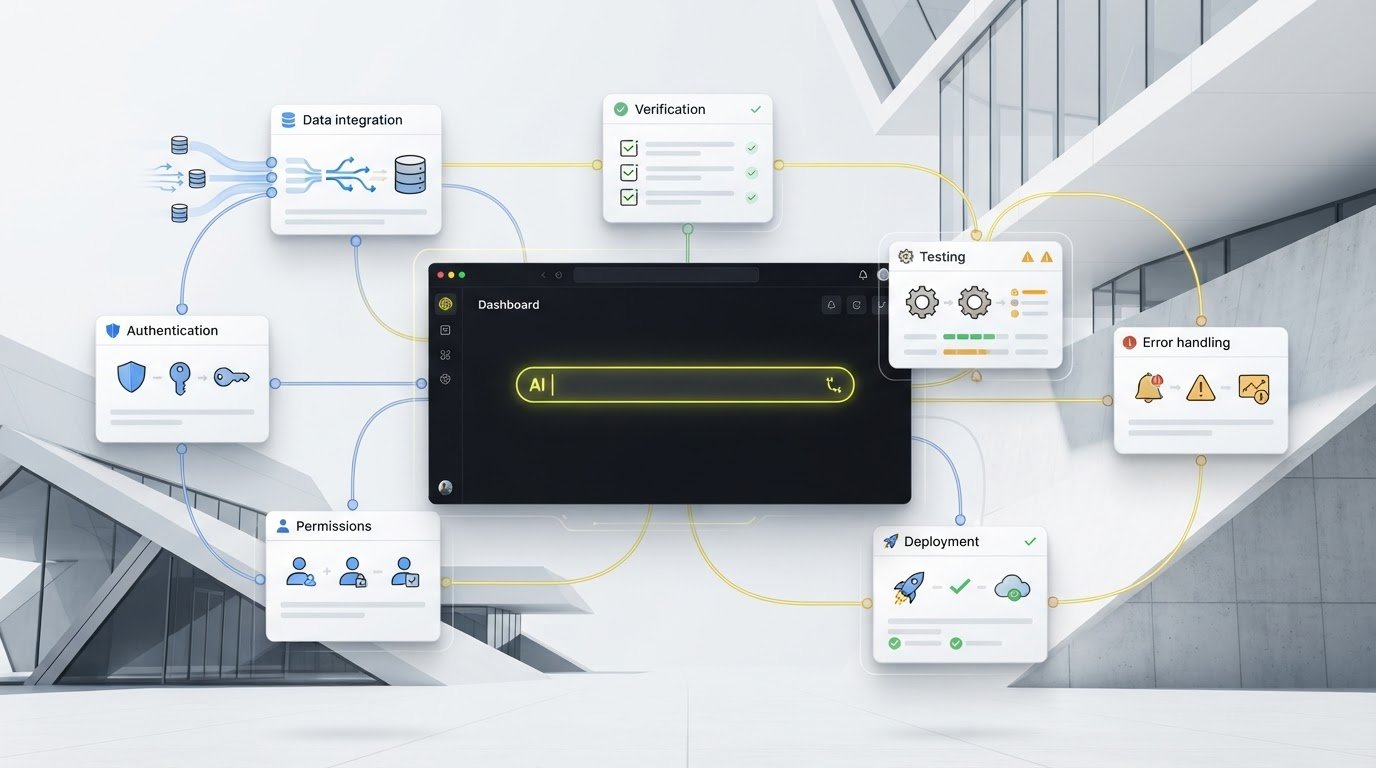
Some are editors and agents: they live in your repo and write code. Some are app builders: you describe a product and get a working web app. And one category barely existed two years ago: the platform underneath the agent — the schema, auth, storage, flows and hosting that turn generated code into something you can actually run in production.
Most rankings ignore that last category, which is why so many vibe-coded projects stall at the demo stage. A model can write a React screen in thirty seconds. Giving it a database, a login, a public API, an audit trail and a URL is the part that used to take a quarter.
Here are the ten tools worth your time in 2026, what each is genuinely best at, and where each one runs out of road.
How this list is ordered
Not by hype, and not by ARR. By the same question every time: how much of a real, running system do you have when the session ends? Tools that hand you a live, maintainable product rank above tools that hand you a very good first draft.
1. Turbofy — build through integrated chat or your own coding agent
Best for: teams who want to turn an idea into a working app with its backend and hosting included, whether they prefer building directly in a chat interface or using an external coding agent.
Turbofy now includes an integrated chat interface. You can describe what you want, build apps and automations, and refine the result directly inside Turbofy. You do not need to set up an external coding tool to get started.
If you already work with Claude Code, ChatGPT Codex, Cursor or OpenCode, you can connect your preferred tool through MCP and build in Turbofy from there. The platform gives connected agents a workspace containing a versioned data schema, records, authentication, file storage, search, server-side dynamic fields, automation flows, and pages assembled from React building blocks.
Both approaches build on Turbofy's underlying platform. The result is a running app with a live URL and a data model you can continue to develop as your needs change.
What stands out
- Build directly in Turbofy. The integrated chat interface lets you create and iterate on apps inside the platform, giving teams a starting point without a separate coding agent.
- Choose from different Models. The Turbofy Assistant allows users to select models from xAI, OpenAI, Anthropic, and Moonshot AI
- Keep your preferred coding tools. Claude Code, ChatGPT Codex, Cursor and OpenCode can connect through MCP. When you build through these connected tools, Turbofy adds no markup on their AI token usage; model usage remains with your chosen tool or provider.
- Backend included. Schema, data, authentication, storage and flows are part of the workspace your app is built on.
- Automation as part of the app. Flows run server-side on triggers, so scheduled jobs, AI steps and webhooks live in the same workspace as the UI.
- Global by choice. Choose from 12 hosting regions across the world to ensure lowest latency and highest compliance with data regulation requirements. Enterprise customers can self-host in their own AWS account.
- Free to start. €0/month with 2,500 credits and unlimited seats; Professional starts at €19/month for 5,000 monthly credits.
What to consider
Turbofy's block-and-schema model gives apps a defined structure. That helps organise the data, interface and workflows, but you still need to define the relationships, business rules and access permissions your app requires. Teams that need extensive control over an existing repository should assess how their architecture fits that model. The integrated chat makes an external agent optional, while MCP support keeps tools such as Claude Code, ChatGPT Codex, Cursor and OpenCode available for those who prefer them.
2. Lovable — the fastest path from sentence to polished web app
Best for: non-technical founders and marketers who need a good-looking, working product this afternoon.
Built in Stockholm, in the same startup scene that produced Spotify and Klarna, Lovable is the tool most people mean when they say "vibe coding". You describe a product, it generates a full front end with a Supabase-backed database, and you iterate in a chat panel next to a live preview. By 2026 it is one of the most profitable platforms in the category, reportedly around $400M in annual recurring revenue.
Strengths: genuinely excellent default design, near-zero learning curve, and a preview loop tight enough that non-developers stay in flow.
Limits: debugging burns credits fast, and once an app gets complex you inherit whatever structure the generator chose. Pro sits around $25/month on a message-credit model, which is fine until a stubborn bug eats a week of allowance.
3. Replit — everything in one browser tab
Best for: builders who want editor, agent, database, and deployment in a single place with nothing installed.
Replit's pitch has not changed — the whole development environment lives in the browser — but the agent has. Agent 4, released on 11 March 2026, builds several parts of an application in parallel across isolated micro VMs and merges the results automatically, with Replit claiming roughly 90% success on automatic conflict resolution.
Strengths: prompt to deployed URL without leaving the tab; strong for prototypes, internal tools and teaching.
Limits: credit-based pricing (Starter free, Core $20/month, Pro $100/month) gets expensive under heavy agent use, and the hosted environment is less pleasant than a local setup once a project is mature.
4. Windsurf — now Devin Desktop
Best for: developers who want an agentic IDE with a calmer, more guided interface than Cursor's.
Windsurf pioneered the "agent that plans, then edits across your repo" experience with Cascade, and its context handling is still among the best. The thing to know in 2026 is organisational: after Cognition acquired the product, Windsurf was renamed Devin Desktop on 2 June 2026, and windsurf.com now redirects to devin.ai. The editor is the same VS Code fork underneath, now positioned as the desktop half of Cognition's Devin family.
Strengths: multi-step agent flows with a clear diff-and-approve loop; a friendlier on-ramp than raw terminal agents.
Limits: a year of naming and roadmap churn. If your team standardised on "Windsurf", budget some time for the rebrand and for a roadmap that now serves Devin's agenda.
5. Base44 — no-code app building with the backend already wired
Best for: operations teams building internal apps without a developer in the room.
Base44 is the fairy tale of the category: founded by a solo developer, sold to Wix for $80M cash in June 2025 at roughly six months old with a team of eight. The product generates functional apps — auth, database, APIs and 20+ integrations included — from a description, in minutes.
In June 2026 it started rolling out its own in-house model rather than relying purely on frontier labs, a bet on defensibility that also gives it more control over cost and latency. It now sits alongside Harmony and Vibe in Wix's AI lineup, aimed at apps rather than websites.
Strengths: the shortest distance from "we need a tool for this process" to a working internal app.
Limits: you are inside Wix's ecosystem, and complex or unusual data models hit the ceiling faster than they would in a code-first tool.
6. Cursor — still the default for professional developers
Best for: engineers working in a real, large, existing codebase.
Cursor remains the AI-first editor most professionals reach for: fast inline completion, an agent mode that edits across files, and rules files that let a team encode its conventions. Composer 2, Cursor's own model purpose-built for agentic coding, arrived in March 2026 and closed much of the gap between "fast" and "careful".
Strengths: unmatched at large refactors, precise context control, and staying out of the way when you just want to type.
Limits: it assumes you already have a codebase, a deployment story and an infrastructure team. Seats run roughly $20–$200/month depending on tier — and Cursor writes the code, but nothing else.
7. Claude Code — the terminal agent for long, serious work
Best for: repo-scale refactors, migrations and multi-hour tasks you want to delegate rather than supervise line by line.
Anthropic's agent runs in the terminal — and now also in a desktop app, on the web, and inside VS Code and JetBrains. Its strength is endurance: it will read broadly, plan, run tests, and keep going on a task that would take a human a full day. Subagents, hooks and MCP connectors make it the most extensible option on this list, which is also why it pairs so naturally with a platform like Turbofy.
Strengths: the best long-horizon autonomy of any coding agent, and an ecosystem of skills, plugins and MCP servers around it.
Limits: terminal-first, so there is no live preview of what you are building; and its autonomy is only as safe as the permissions and tests you put around it.
8. Vercel v0 — generative UI, done properly
Best for: front-end work, marketing pages and design-to-code, especially on a Next.js stack.
v0 turns a prompt or a screenshot into idiomatic React, Next.js, Tailwind and shadcn/ui components, and deploys to Vercel in a click. Within its lane the output quality is excellent — it writes the code a competent front-end developer would write, in the conventions that team already uses.
Strengths: clean, copy-pasteable components; the fastest way to make an interface look intentional.
Limits: it is a UI tool. Data models, auth and business logic are still yours to build somewhere else.
9. ChatGPT Codex — parallel cloud agents inside ChatGPT
Best for: delegating several well-scoped tasks at once and reviewing the diffs later.
Codex is OpenAI's software-engineering agent, available as a cloud agent inside ChatGPT, a CLI, and an IDE extension. The cloud model is the interesting part: fire off several tasks against your repo, each in its own sandbox, and come back to pull requests.
Pricing is bundled into ChatGPT plans — Free, Go at $8, Plus at $20, Pro at $100–$200, and Business seats around $20–25 per user per month. Since 2 April 2026 usage is metered with API-aligned credits (roughly $0.04 each) on a rolling five-hour window; a typical session lands between $0.50 and $2.00, while heavy users report $100–200 a month.
Strengths: genuine parallelism, and it is already included if your team lives in ChatGPT.
Limits: credit metering makes cost hard to predict, and cloud sandboxes are more awkward than local agents when a task needs your actual dev environment.
10. Mistral Code — the European option most lists forget
Best for: regulated teams in Europe who cannot send source code to a US cloud.
The lesser-known name on this list, and the one worth knowing if compliance is part of your job. Paris-based Mistral ships a full coding assistant for VS Code and JetBrains built on its own models: Codestral for completion, Codestral Embed for code search and retrieval, Devstral for multi-step agentic work, and a general model for chat. It reads files, git diffs, terminal output and issue trackers across 80+ languages, and there is now a Mistral Vibe CLI — the first coding CLI built specifically around a European open-weight model.
Strengths: inference runs on EU-hosted infrastructure under French law, with a contractual commitment that customer code is never used for training, plus dedicated VPC and on-premise deployment for enterprises. No other tool on this list offers that structurally.
Limits: raw model quality on the hardest agentic tasks still trails the frontier labs, and the ecosystem around it is far smaller. You choose it for sovereignty and control, not for the last 10% of capability.
Notable mentions
Bolt.new remains a strong prompt-to-app alternative to Lovable. GitHub Copilot is still the most widely deployed assistant in enterprises, even if it is no longer the most exciting. And Google Antigravity has been pulling attention as a new agent-first IDE. Any of the three could reasonably take a slot on a list like this — they lost out on focus, not merit.
How to actually choose
Obviously, we are biased. But we think Turbofy should be the first choice for non-technical teams that want to build and run useful apps. The reason is simple: no integration tax for the essentials.
Hosting, authentication, tables, apps and flows live in one place. You do not have to stitch together a frontend builder, a database service, a login provider, an automation tool and a hosting platform just to get your first app working.
That integration tax is more than subscription costs. It is the time spent connecting services, keeping data in sync, troubleshooting broken handoffs and working out which system owns a problem. For a team without dedicated engineers, those responsibilities can become harder to manage than building the app itself.
With Turbofy, you can start in the integrated chat, describe the process you want to improve and build on a shared foundation. An internal request form, the table storing its submissions, the app your team uses to review them and the flow handling the next step can all belong to the same workspace. You still need to define your business rules and permissions, but you have fewer separate systems to assemble and maintain.
For technical teams, start with how you prefer to work. If you already use Claude Code, ChatGPT Codex, Cursor or OpenCode, you can connect that tool to Turbofy through MCP. You keep your preferred coding environment while using Turbofy for the underlying app platform, with no Turbofy markup on the AI tokens used through your connected tool.
The practical question is: what will your team need to operate after the first version is built? Look beyond the initial demo. Check where the data lives, how access is managed, where automations run and who will maintain the connections. For non-technical teams, keeping those essentials together is a strong reason to choose Turbofy.
Build directly in Turbofy’s integrated chat, or connect Claude Code, ChatGPT Codex, Cursor or OpenCode through MCP. Both routes give you a platform with schema, authentication, storage, flows and hosting. Turbofy adds no markup on AI tokens used through your connected coding tool. Start free — no credit card required.